


Options Alerts - Swing Signals
4.395.00 Reviews
App Specs
- Version
- 2.4.3
- Updated On
- License
- Free
- Downloads
- 50,000+
- Developer
- Gamma Greeks: AI Stock Option Signals, Flow Alerts
- Categories
- Finance
- Platform
- Android
Screenshots
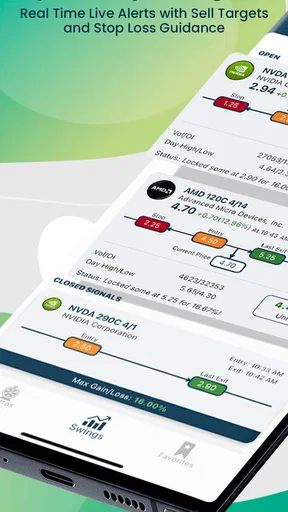
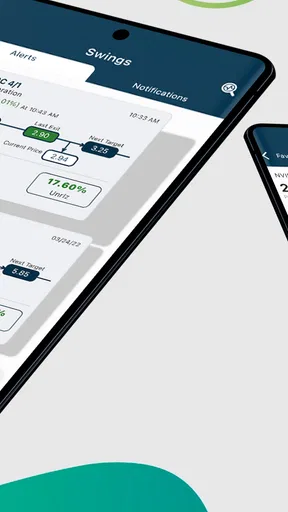
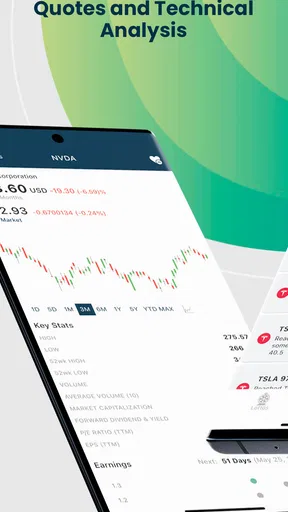
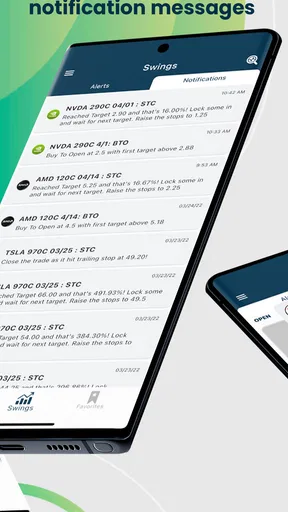
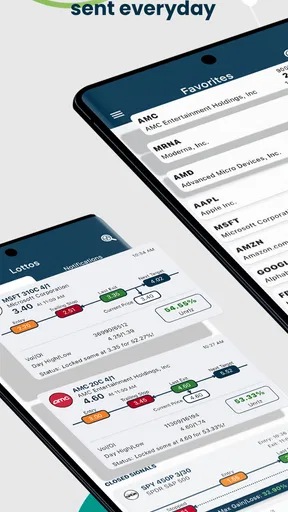
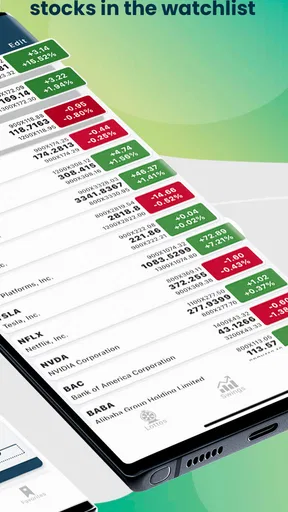
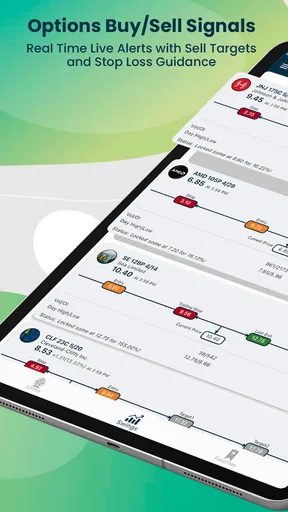
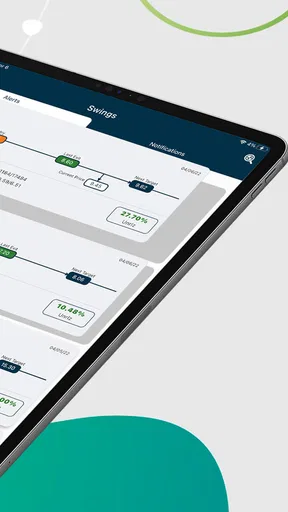
 Analysis by AppCompare
I’m cautious about any app that turns market movement into a notification: an alert can focus my attention, but it cannot make a trade sensible by itself. Options Alerts - Swing Signals is built around that distinction. Its main appeal is bringing options and swing-trading signals, including entry and exit notifications, to a phone, so I can notice a potential setup without watching a screen all day. I’d treat it as a prompt to investigate, not as a substitute for a plan or a promise of profit.
How alerts fit into a trading routine
The developer, Vivid Signals - Stock Options Trade Signal Alerter, positions this as a finance app focused on signals rather than a general-purpose investing dashboard. That narrower purpose matters: the central question is not whether it can replace every tool in a trader’s setup, but whether timely alerts help someone follow a defined approach more consistently. In my view, it is most useful when I already know what I want to evaluate and need a nudge to check it.
What an entry or exit alert can—and cannot—do
An entry alert can bring a possible opportunity to my attention, while an exit alert can remind me to review an existing position. That is valuable when I’m away from charts, but a notification is only one input. I still need to consider the underlying asset, the option’s expiration and strike, liquidity, the spread, and how much I am prepared to lose. Those details can change the trade’s risk even when a signal looks compelling.
I would also avoid reading “real time” as “instant execution” or “guaranteed at the quoted price.” A phone notification is not a broker order, and markets can move between an alert arriving and my review of it. For options in particular, a quick price change or a wide bid-ask spread can make acting on a signal very different from simply seeing it. The sensible workflow is to open the alert, check the market conditions, and decide independently whether the setup still fits.
A practical way to use the notifications
Before relying on alerts, I’d set aside a short session to learn what each signal means and how the app presents it. Rather than enabling every notification and reacting to each one, I’d start with the alerts relevant to my own strategy. This keeps the phone from turning into a stream of prompts that compete with work or encourage impulsive decisions. If I can’t explain why a signal matters to my plan, I shouldn’t trade just because it appeared.
A useful habit is to keep a simple record outside the notification itself: what the alert suggested, what I checked before acting, whether I entered, and how the idea turned out. That helps distinguish a helpful reminder from a signal that merely felt urgent in the moment. It also makes the app easier to evaluate over time without assuming that a few memorable calls represent consistent results.
For example, imagine I’m busy with errands and can’t keep a chart open. An alert arrives while I’m waiting in line. Instead of placing an order from the notification, I note it, then review the underlying price and option contract when I can focus. If the entry still matches my risk limits, I can consider it; if the price has already moved or the contract looks unsuitable, I can pass. The value is the prompt to review, not pressure to act immediately.
Worth Reading Before You Choose

EA SPORTS FC Mobile 26 Is a Bigger Football Game, but It Takes Time

Flipboard Shows What News Apps Must Do Beyond the Feed

Switching to Android Auto Means Rethinking Your Driving Routine

Google Calendar Makes a Crowded Week Easier to Manage

Ludo King Makes the Most of the Minutes Between Plans

Baby Panda World Brings Quick Play to Modern Phones, but Its Game Library Feels Busy
Who is likely to get the most from it
I see the clearest fit for a trader who already understands basic options terminology, has a written approach to entries and exits, and wants a mobile reminder to check potential setups. Swing traders with other responsibilities may appreciate being alerted rather than constantly refreshing a chart. Someone newer to options could use signals as study prompts, but should first learn how contracts behave and why losses can grow quickly. A signal does not remove that learning curve.
By contrast, I’d skip it if I wanted hands-off investing, personalized financial advice, or a system that places trades automatically. It is also a poor match for someone who tends to chase every notification or cannot monitor a position after entering. Options require decisions about risk, timing, and contract selection; if those choices feel unfamiliar, a slower educational route or a simpler long-term investing approach is likely a better starting point.
How it compares with charts and broker alerts
Compared with watching charts manually, a dedicated signal app can reduce the time spent checking for possible setups. Compared with alerts configured inside a brokerage app, its appeal is the emphasis on options and swing-trading signals rather than only price thresholds or account activity. Those approaches serve different purposes: a broker’s alert may be better when I want a condition tied to a specific holding, while a signal service may help me discover something worth reviewing.
I wouldn’t assume one replaces the other. A chart remains useful for context, and a broker remains the place to inspect a contract and manage an order. The strongest routine is likely to use the signal as a starting point, then verify it with the tools I already trust. That extra check takes time, but it helps prevent a notification from becoming an unexamined instruction.
Cost, access, and expectations
The app is free to install, with in-app purchases listed from $29.99 to $299.99 per item. I’d look carefully at what an available purchase includes and whether it fits my trading frequency before paying; a higher price does not establish that a signal will perform better. Anyone testing the app should make sure they understand the purchase terms and avoid spending money they need for trading capital or ordinary expenses.
It has an Everyone content rating, a 4.3 average from around a thousand ratings, and over 50,000 installs. Those figures can help indicate that people are using it, but they are not evidence that a particular trading strategy will suit me. The app first appeared on April 16, 2022, and version 2.4.3 is listed, with a minimum OS requirement of 7.1. I’d check that my device can run it and that notifications are enabled if alerts are the reason I’m installing it.
One practical question is whether I need to keep the app open. For a notification-focused tool, I would make sure the phone allows its notifications and does not silence them through a focus setting or battery restriction. I’d also check that alerts are arriving at a time when I can review them. A missed notification is inconvenient; an alert that arrives while I’m driving or unable to assess a trade should wait until I can safely give it attention.
Another question is whether it makes sense for a complete beginner. I’d say it can help a learner notice how traders frame possible entries and exits, but it should not be the first or only source of options education. Before acting, a beginner should understand contract size, expiration, strike selection, volatility, and the possibility of losing the full amount invested in an option. If those terms are still confusing, paper practice or basic study is a better next step than paying for signals.
For an active trader, the key question is whether the alerts add something beyond existing chart and broker notifications. I’d try to answer that with a limited test: choose a small set of relevant alerts, compare each one with my own rules, and note whether it saves meaningful monitoring time. If it creates more noise than useful review opportunities, I’d turn off what I don’t need or stop using it. A tool earns a place in a routine by improving decisions, not by generating activity.
The trade-off behind convenience
Notifications make it easier to notice a possible move, but they can also create a false sense of urgency. I’d avoid checking them while distracted and never let a buzz determine position size. The more emotionally charged a market day feels, the more useful it is to pause, confirm the setup, and decide in advance what would invalidate it. That discipline matters more than the convenience of having a signal on a lock screen.
There is also a difference between receiving a signal and understanding its reasoning. I would want to know what conditions make an alert relevant before treating it as actionable. When I cannot explain the idea in my own words, I have little basis for judging whether the situation has changed. That limitation is especially important for options, where contract behavior can be less intuitive than a simple rise or fall in the underlying share price.
The best use of Options Alerts - Swing Signals is as a focused attention tool, not a trading autopilot. It may suit someone who wants options-related prompts while keeping final decisions in their own hands. It is less suitable for passive investors, people seeking guaranteed outcomes, or anyone who is likely to confuse a timely alert with a complete analysis. If I used it, I’d start cautiously, verify every idea, and keep the decisions—and the risk—my own.
Interface and Usability
When I first opened the app, I was greeted with a clean and user-friendly interface. Everything is laid out in a way that even a newbie like me could navigate without feeling overwhelmed. The dashboard presents you with the latest signals, market trends, and personalized alerts. It's almost like the app knows what you need before you even ask for it.
The app also offers a quick tutorial for first-time users, which is a nice touch. It walks you through the basic features and shows you how to set up your alerts. If you're like me and sometimes skip instructions, you'll appreciate how intuitive the app really is.
Features Galore
Now, let's talk features. The app provides real-time alerts for options and swing trading signals. It's fascinating how it breaks down complex data into bite-sized information, which is especially helpful if you’re not the next Warren Buffett. You can customize your alerts based on your preferences, ensuring you never miss an opportunity.
Another cool feature is the community aspect. There's a section where you can interact with other traders, share insights, and pick up tips. It's like having a support group that actually understands what you're talking about. Plus, the app updates regularly with new features and improvements, keeping it fresh and relevant.
Performance and Reliability
In terms of performance, Options Alerts - Swing Signals runs smoothly. I haven't experienced any crashes or glitches during my time with the app, which is always a plus. The alerts are timely, and the information provided is accurate, which is crucial when you're making trading decisions based on it.
I also appreciate the app's transparency. It clearly states its data sources, ensuring that users have confidence in the information they receive. This builds trust and makes you feel secure in your trading decisions.
Final Thoughts
So, should you download Options Alerts - Swing Signals? If you're looking for a reliable trading app that simplifies the complexity of options and swing trading, I'd say it's worth a shot. The app strikes a nice balance between offering powerful features and maintaining ease of use. Whether you're a seasoned trader or just starting out, it provides valuable insights and real-time alerts to keep you ahead of the game.
In a nutshell, this app makes trading more accessible and less intimidating. It's like having a trusty sidekick in the fast-paced world of trading. So go ahead, give it a whirl, and see if it suits your trading style. Happy trading!
Pros
- User-friendly interface for easy navigation.
- Real-time alerts for timely decision-making.
- Customizable settings for personalized alerts.
- Comprehensive market data analysis tools.
- Active community for support and insights.
Cons
- Subscription required for premium features.
- Occasional delay in notification delivery.
- Limited free version capabilities.
- Requires stable internet connection.
- Can be overwhelming for beginners.
FAQs for Options Alerts - Swing Signals
What is Options Alerts - Swing Signals and how does it work?
Options Alerts - Swing Signals is an app designed to help traders by providing timely alerts and signals for swing trading options. It analyzes market trends and provides users with actionable insights to make informed trading decisions. The app aims to simplify the trading process by offering expert-curated alerts without requiring users to perform extensive market research themselves.
Is Options Alerts - Swing Signals suitable for beginners?
Yes, Options Alerts - Swing Signals is designed to be user-friendly for both beginners and experienced traders. The app provides educational resources and user guides to help new traders understand the basics of options trading. Additionally, the intuitive interface makes navigating the app straightforward, ensuring that users can easily access the information they need to start trading confidently.
What features does Options Alerts - Swing Signals offer?
Options Alerts - Swing Signals offers a range of features, including real-time alerts, detailed analysis reports, and customizable watchlists. Users can receive notifications for potential trading opportunities, access historical data, and explore various trading strategies. The app also provides insights from market experts, helping traders make more informed decisions and optimize their trading strategies.
Are there any subscription fees for using Options Alerts - Swing Signals?
Options Alerts - Swing Signals offers both free and premium subscription plans. While the free version provides access to basic features and alerts, the premium plan offers enhanced functionalities, such as advanced analytics, more frequent alerts, and access to exclusive content. Users can choose a plan that best fits their trading needs and budget.
How reliable are the alerts provided by Options Alerts - Swing Signals?
The alerts from Options Alerts - Swing Signals are generated using sophisticated algorithms and expert analysis, aiming to provide reliable and timely information. While the app strives for accuracy, it's important for users to conduct their own due diligence and consider market risks. The alerts are intended to assist in decision-making, but trading involves inherent risks.


